

Badrinath Yatra Registration: 15 Common Mistakes Pilgrims Make and How to Fix Them
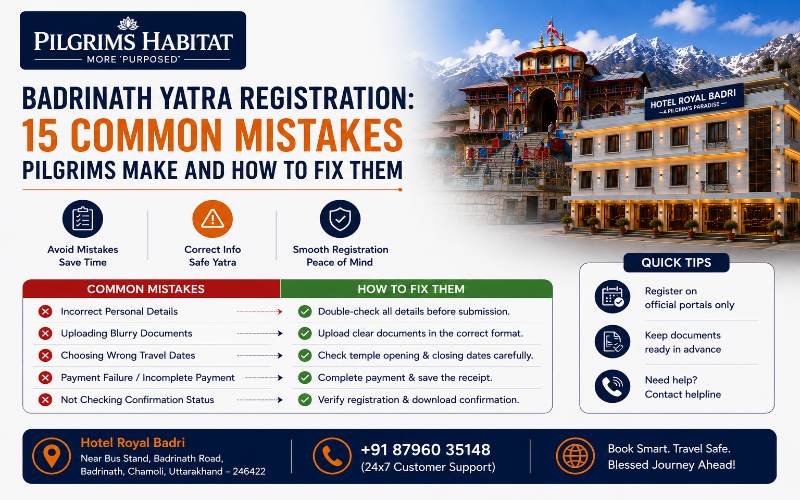
Every year, pilgrims reach checkpoints on the Badrinath route and face avoidable delays because of registration errors made weeks earlier at home. The mistakes are not complicated — they are predictable, and they repeat across thousands of yatris every season. This guide documents every common registration mistake on the Badrinath Yatra registration portal, tells you exactly what causes each one, and gives you the specific fix. Use it as a pre-departure checklist before you submit your registration and before you leave home.
Badrinath Yatra Registration Mistakes: Quick Reference
Mistake | What Causes It | Fix |
Wrong registration portal | Using unofficial/third-party sites | Only use registrationandtouristcare.uk.gov.in |
Name mismatch with ID | Abbreviating or misspelling name on form | Copy name exactly as it appears on your Aadhaar/passport |
Registering all family under one entry | Assuming group entry covers everyone | Register every traveller individually |
Confusing registration with darshan booking | Assuming one portal does everything | Registration = UTDB portal. Darshan = BKTC portal (bktc.nic.in) |
Not printing a physical copy | Relying only on phone screen | Print one copy — signal fails beyond Joshimath |
Registering too late | Leaving it to departure week | Register at least 2–4 weeks ahead; 6–8 weeks for peak season |
Payment failure leaving incomplete registration | Bank timeout, OTP failure, wrong card details | Complete registration using UPI for fastest, most reliable payment |
Wrong travel dates | Booking hotel dates that don’t match registration dates | Align registration dates with hotel check-in before submitting |
Not getting a medical certificate for elders | Assuming registration alone is sufficient | Pilgrims above 50 need a medical fitness certificate at checkpoints |
Using unofficial travel agents for registration | Agents who charge a fee for a free service | Never pay anyone for basic registration — the official portal is free |
What Are the Most Frequent Registration Mistakes on the Badrinath Pilgrimage Portal?
Mistake 1: Registering on the Wrong Website
The single most consequential mistake: registering on an unofficial third-party website that mimics the government portal. Several unofficial sites rank in search results for ‘Char Dham yatra registration’ — some charge fees, others collect personal data, and none generate the registration certificate that checkpoint staff accept.
The fix: only use registrationandtouristcare.uk.gov.in — the domain must end exactly in ‘.uk.gov.in’. Bookmark this URL directly rather than searching for it each time. Any site that charges a fee for basic registration is unofficial — the genuine portal is free.
Mistake 2: Name Mismatch Between Registration and Government ID
A name entered as ‘Raj Sharma’ on the registration form when the Aadhaar card reads ‘Rajesh Kumar Sharma’ creates a mismatch that causes checkpoint delays. Even a single initial difference — ‘K.’ vs ‘Kumar’ — can trigger a hold while the staff verify identity manually.
The fix: open your government ID on the same screen as the registration form and copy the name character by character. Do not abbreviate, do not use nicknames, and do not use the name as it appears on your phone contacts — use the name exactly as it appears on the Aadhaar or passport you will carry to the checkpoint.
Mistake 3: Registering All Family Members Under a Single Entry
The official portal requires every traveller — including children — to have their own individual registration entry. Many families register only the group leader and assume the rest of the group is covered. Checkpoint staff verify each traveller individually.
The fix: use the group leader login to add each family member as a separate traveller, each with their own ID details and photograph. For children without a government photo ID, use a birth certificate or school ID photo page.
Mistake 4: Confusing Yatra Registration With Darshan Booking
Yatra registration is a travel record. It does not book a darshan time slot, a puja, or any temple service. Pilgrims who arrive at Badrinath having completed only the registration — and who have not separately booked through the BKTC — find themselves in the general queue regardless of whether they registered days in advance.
The fix: treat registration and darshan booking as two completely separate tasks requiring two different portals: (1) yatra registration → registrationandtouristcare.uk.gov.in and (2) darshan/puja booking → bktc.nic.in. Complete both before travel, not just one. For guidance on the BKTC darshan process, see our VIP darshan at Badrinath guide.
Mistake 5: Not Saving a Physical Copy of the Registration Certificate
Mobile connectivity becomes unreliable beyond Joshimath — roughly 46 km from Badrinath. Pilgrims who rely on their phone screen to show registration certificates at checkpoints beyond this point frequently cannot load the document because of signal loss. Checkpoint staff then hold the vehicle while manual verification is arranged.
The fix: immediately after completing registration, download the PDF certificate and print at least one physical copy per traveller. Carry the printout in a waterproof sleeve or zip-lock bag in your hand luggage — not in checked bags where it cannot be accessed quickly at a checkpoint.
Mistake 6: Registering Too Close to Travel Dates
The registration portal processes thousands of applications daily during peak season. Completing registration the day before departure leaves no time to correct a rejected entry, a name mismatch, or a payment failure — and generates last-minute stress on a journey that should begin calmly.
The fix: register at least 2–4 weeks before travel in regular season. For June peak season or the Navratri / kapat-closing rush (October–November), register 6–8 weeks ahead. Early registration also gives you time to discover and correct any discrepancy before it becomes a checkpoint problem.
Mistake 7: Payment Failure Leaving Registration Incomplete
Registration on the official portal is free, but some states integrate a nominal biometric or health portal fee that requires payment. Payment failures — caused by OTP timeout, bank downtime, or entering card details incorrectly — leave the registration in an incomplete state. Pilgrims sometimes do not notice this and carry an incomplete registration certificate to the checkpoint.
The fix: use UPI (Google Pay, PhonePe, Paytm) rather than net banking or card for any payment step — UPI processes instantly without OTP delay. After any payment step, check the registration status page before closing the browser. The certificate should show ‘Registration Confirmed’ or equivalent — not ‘Pending’ or ‘Payment Awaited’.
Mistake 8: Travel Dates on Registration Don't Match Hotel Booking
Checkpoints cross-check your registration dates with your stated travel plan. A pilgrim registered for 5 September but whose hotel check-in shows 8 September creates a discrepancy that triggers manual verification. This is particularly common when pilgrims register early and then change their travel dates without updating the registration.
The fix: finalise your hotel booking before completing registration — use your confirmed hotel check-in date as your registration start date. If your dates change after registration, update the registration at the portal before travel. Hotel Royal Badri’s Anugraha Concierge can advise on how date changes affect both your hotel booking and registration alignment — call 87960 35148.
Mistake 9: Not Obtaining a Medical Certificate for Elderly Pilgrims
Pilgrims above 50 years old face medical certificate checks at most Badrinath checkpoints. This is not announced prominently on the registration portal — many families arrive without it and face either rejection at the checkpoint or a delay while the checkpoint medical officer conducts a basic assessment.
The fix: obtain a medical fitness certificate from any registered MBBS doctor before travel for any family member above 50 or with a heart, blood pressure, or respiratory condition. Ask specifically for a letter confirming fitness for high-altitude travel up to 3,500 metres. Carry the original — some checkpoints retain a copy. For the full medical preparation checklist, see our senior citizens’ guide to Badrinath Yatra.
Mistake 10: Using Paid Third-Party Agents for a Free Registration
Dozens of travel agents and websites charge ₹300–₹2,000 to ‘assist with’ Char Dham registration — a service that is completely free on the official portal. Some of these agents register pilgrims on unofficial platforms that generate certificates which look authentic but are rejected at checkpoints.
The fix: complete registration directly on registrationandtouristcare.uk.gov.in yourself — the form takes 10–15 minutes per traveller. If you genuinely need assistance navigating the portal, Hotel Royal Badri’s Anugraha Concierge provides guidance to guests at no additional charge. Call 87960 35148 before departure.
Mistake 11: Uploading an Unclear or Incorrect Photograph
The registration portal requires a clear, recent passport-size photograph per traveller. Uploading an old photo, a group photo, or a low-resolution image (below the portal’s minimum pixel requirement) causes the registration to fail at the image validation step — sometimes without a clear error message.
The fix: use a recent photograph taken against a plain white or light background, face clearly visible, minimum 200×200 pixels (the portal specifies its requirements — read them before uploading). Take a fresh photograph specifically for this form rather than repurposing an older image from your phone gallery.
Mistake 12: Registering During Portal Downtime
The official registration portal experiences periods of high traffic — particularly in February–March when pilgrims register months ahead of the May opening, and during June when last-minute registrations peak simultaneously. Attempting to register during these windows often results in page timeouts, incomplete form submissions, or payment hangs.
The fix: register early in the morning (6–8 AM IST) or late in the evening (10 PM–midnight IST) when portal traffic is lowest. Avoid attempting registration during the immediate post-kapat-opening rush or the final weeks of the season. If the portal is slow, do not refresh mid-form — this often clears your entries. Save your text entries in a notes app first and paste them into the form.
Mistake 13: Ignoring the Status Check After Registration
Many pilgrims complete the registration form and leave the browser without checking whether the certificate was actually generated. ‘Submitted’ does not mean ‘Confirmed’. The portal has a distinct status page showing whether the registration is confirmed, pending, or rejected.
The fix: after submission, navigate to the registration status page using your application number. The status must read ‘Confirmed’ or ‘Approved’ — not ‘Under Review’ or ‘Pending’. Check the status again 24 hours after submission to confirm it has not been flagged for additional verification.
Mistake 14: Mismatched Mobile Number
Using a mobile number that you will not carry during travel creates a problem if OTP verification is required at a checkpoint or if the registration needs to be re-sent. Several pilgrims register on a family member’s phone using that person’s number — then find they cannot retrieve the OTP during travel because the registered phone stayed at home.
The fix: use the mobile number of the primary traveller who will carry the phone on the trip. If registering for an elderly parent who doesn’t use a smartphone, use the number of the person who will travel with them and be present at every checkpoint.
Mistake 15: Not Updating Registration After Date Changes
Flight cancellations, road closures, or family emergencies frequently cause Badrinath yatra dates to shift after registration is complete. Pilgrims who travel on different dates from those registered face checkpoint questions about the discrepancy — and occasionally face denial if the variation is significant.
The fix: log back into the registration portal as soon as your dates change and update your travel record. The portal allows date modifications within the active season. Keep a screenshot of the updated confirmation before leaving home.
How Do You Verify the Authentic Online Platform for Badrinath Yatra Registration?
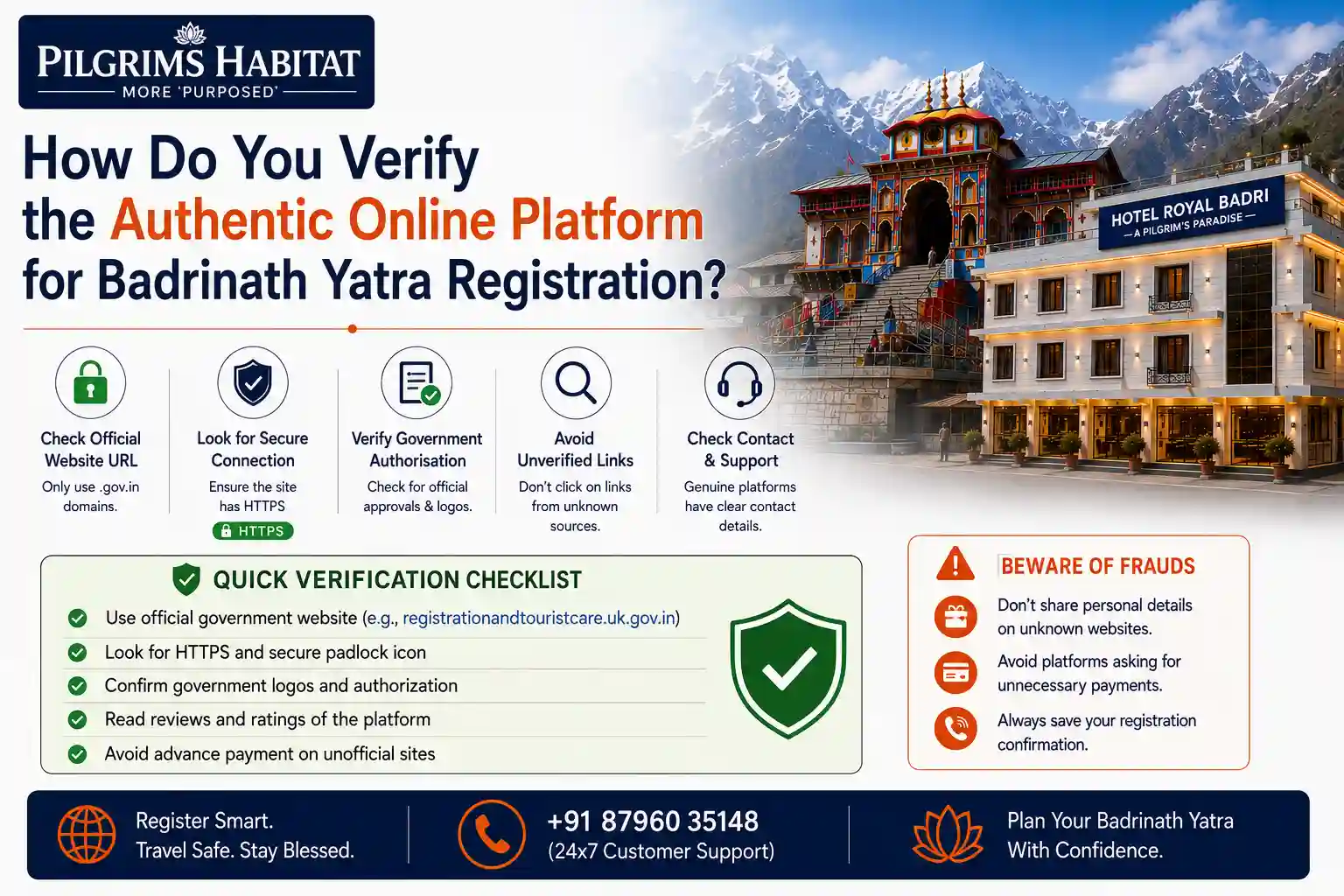
Use three verification checks before entering any information on a registration website:
- Domain check: the URL must be registrationandtouristcare.uk.gov.in — every character matters. The ‘.uk.gov.in’ suffix is the Uttarakhand government domain. Any variation (e.g., .com, .in alone, or a hyphenated version) indicates an unofficial site.
- Fee check: the official registration platform charges nothing for the registration itself. Any site asking for a fee before generating your certificate is unofficial.
- Certificate check: after completing registration, the official portal generates a certificate with a QR code that checkpoint staff scan for verification. If the generated document does not contain a scannable QR code, the registration was completed on an unofficial platform.
How Do You Avoid Errors on the Badrinath Yatra Registration Portal?
Apply this pre-submission checklist to eliminate errors before you confirm your registration:
Check | What to Verify | Fix if Wrong |
Name spelling | Matches government ID exactly — no abbreviations | Edit before submission; cannot be changed after confirmation in most cases |
Date of birth | Day-Month-Year in correct format for the portal | Common entry error — double-check the format the portal uses |
Travel dates | Match your confirmed hotel check-in date | Change hotel or registration — do not leave a mismatch |
Photo quality | Clear, recent, plain background, minimum portal resolution | Retake and re-upload before submitting |
Mobile number | The number you will carry on the trip | Change before confirmation if a different number was entered |
ID type and number | ID type matches the ID number format | Aadhaar is 12 digits; passport has a specific alphanumeric format — verify |
Certificate status | Shows ‘Confirmed’ — not ‘Pending’ | Log in 24 hours later and check; contact UTDB helpline if still pending |
What Are the Secure Payment Methods to Use for Mountain Pilgrimage Permits?
Use UPI for any payment step on the Badrinath Yatra portal — it is the fastest, most reliable method and eliminates the OTP timeout problems that cause card and net banking failures.
Payment Method | Reliability on Portal | Recommended? |
UPI (Google Pay, PhonePe, Paytm) | Highest — instant processing, no OTP delay | ✅ Yes — recommended first choice |
Debit card (domestic) | Good — requires OTP from bank | ✅ Acceptable — ensure OTP arrives quickly |
Credit card | Good — OTP or CVV verification | ✅ Acceptable — provides chargeback protection |
Net banking | Variable — session timeout risk on slow portal | ⚠️ Use only if UPI/card unavailable |
International card | Often rejected by government portals | ❌ Avoid — use Indian domestic payment method |
Which Payment Methods Cause Registration Failures on Badrinath Yatra Portals?
International credit/debit cards fail most frequently on the official portal — the government payment gateway does not always accept foreign-issued cards. Net banking sessions time out during peak portal traffic, losing form data mid-payment. Cards from banks with aggressive OTP policies (very short OTP validity windows) also fail when the registration portal page is slow to load the payment confirmation step.
Prevention: complete all registration form fields and have your UPI app open and ready before initiating the payment step. Complete the payment without switching to another app or browser tab — any interruption can cause a timeout that leaves the registration in a ‘Pending Payment’ state.
Troubleshooting Steps for Problems Accessing the Badrinath Yatra Registration Portal
- Clear your browser cache and cookies — the portal is built on standard government infrastructure that frequently conflicts with cached versions of the page. Use Chrome or Firefox (not Safari) for the most reliable portal experience.
- Try a different network — switch from home WiFi to mobile data (or vice versa). Government portals sometimes block certain ISPs or experience routing issues on specific networks.
- Try the portal during off-peak hours — early morning (6–8 AM IST) or late evening (10 PM–midnight IST). Peak traffic hours (10 AM–7 PM) see the highest failure rates.
- Use a different device — if the portal fails on your phone, try a laptop or desktop browser. Government registration portals often have better stability on full-browser versions than on mobile-optimised pages.
- Contact the UTDB helpline — Uttarakhand Tourism Development Board maintains a helpline for registration issues. Check uttarakhandtourism.gov.in for the current-season helpline number.
- Ask Hotel Royal Badri’s Anugraha Concierge — for guests staying with us at Badrinath, our concierge team can guide you through portal troubleshooting and provide contact details for the relevant UTDB support desk. Call 87960 35148.
What Are the Key Dates for Opening and Closing of Badrinath Yatra Applications?
Event | 2026 Date | Action Required |
Badrinath Kapat Opens (2026) | Late April 2026 (around Akshaya Tritiya) | Registration portal was already live — register at least 4 weeks ahead |
Peak season begins | June 2026 | Register 6–8 weeks ahead for June travel |
Kapat closing date announced | Vijayadashami / Dussehra — 20 October 2026 | Final-darshan bookings fill within 48–72 hours of this announcement |
Expected Kapat Closing (2026) | ~11–13 November 2026 (Bhai Dooj) | No registrations accepted for post-closing dates |
2027 Opening Date Announced | Basant Panchami — January/February 2027 | Registration portal re-opens; book Hotel Royal Badri immediately after announcement |
Are There Specific Age or Health Criteria to Consider Before Applying for the Badrinath Yatra?
Yes — the following age and health checkpoints apply at the Badrinath route:
Criteria | Requirement | Where Applied |
Pilgrims above 50 years | Medical fitness certificate from registered MBBS doctor | Most Badrinath checkpoints |
Any age — cardiovascular / BP / lung condition | Doctor’s letter confirming fitness for 3,133-metre altitude | May be requested at checkpoints; carry regardless |
Children under 5 | No specific health requirement but altitude adjustment plan recommended | No formal checkpoint check but BKTC advises caution |
Pregnant women | Travel to Badrinath altitude not advised without doctor clearance | Checkpoint staff may enquire; carry doctor’s clearance if travelling |
Pilgrims with recent surgery / illness | Doctor’s clearance letter strongly advised | Not mandatory but avoids checkpoint delays |
How Do You Use Third-Party Platforms to Simplify Badrinath Yatra Registration?
Use third-party platforms only for information and research — never for the registration itself. MakeMyTrip, Thrillophilia, and Yatra.com provide useful planning guides for the Char Dham circuit, but they do not have any official role in the mandatory yatra registration process. Any third-party service that offers to ‘complete registration on your behalf’ is either using the official portal (in which case you can do it yourself for free) or using an unofficial channel (in which case the certificate may be rejected).
Legitimate use of third-party services: Haridwar-based yatra operators often guide clients through the registration process and check that all documents are in order before departure — this is a useful service for less tech-confident pilgrims. Hotel Royal Badri’s Anugraha Concierge provides the same guidance for guests. The key distinction: they help you use the official portal, not replace it.
How Do You Identify and Avoid Unauthorised Travel Agencies Offering Pilgrimage Packages?
Use these four checks to identify unauthorised agencies before committing to any payment:
- Ask for their Uttarakhand Tourism Department registration number. Registered operators can provide this on request. Unregistered operators cannot — and have no accountability if the package falls apart.
- Verify whether their registration service uses the official portal. Ask them to show you the URL they use for yatra registration. If it is not registrationandtouristcare.uk.gov.in, the certificates they generate may not be accepted at checkpoints.
- Check Google Reviews independently — search their business name + ‘Char Dham’ on Google and read at least 10 recent reviews. Authentic agencies have consistent, verifiable feedback across multiple platforms.
- Refuse to pay for basic registration. Any agency charging for the mandatory yatra registration (which is free) is operating with a margin of deception from the first interaction. Find a different operator.
How Can You Ensure Your Stay Arrangements Align With Your Approved Pilgrimage Dates?
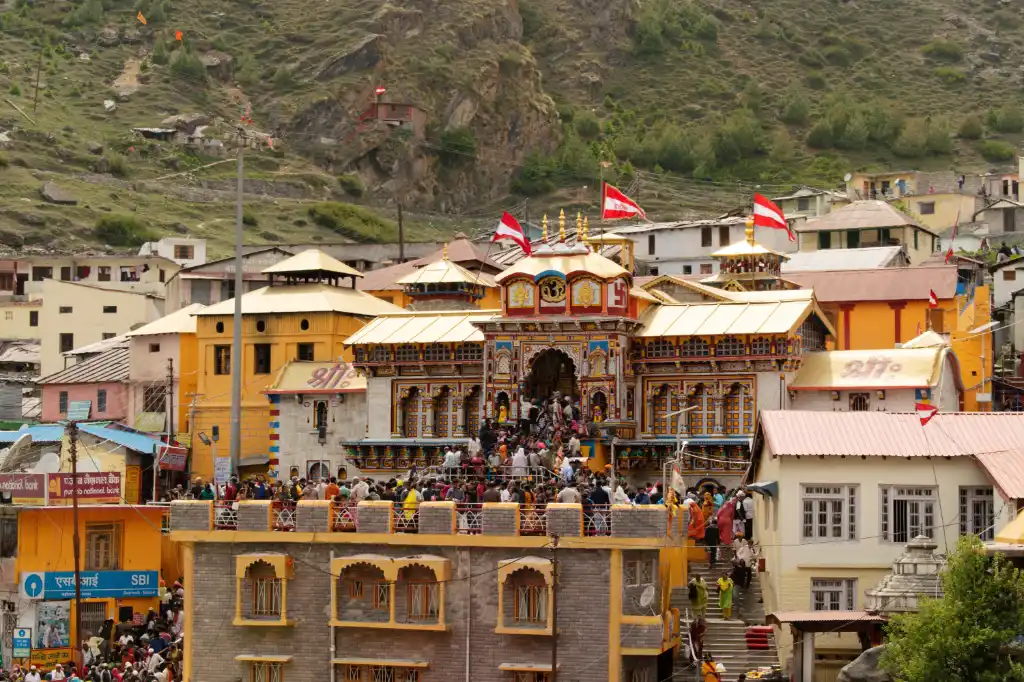
Book your hotel before finalising your registration dates — not after. The registration form asks for your planned travel dates. If you enter dates based on a tentative plan and then change your hotel booking, you create a mismatch between your registration and your actual travel record.
The correct sequence: (1) confirm Hotel Royal Badri check-in and check-out dates at 87960 35148 or via the direct booking page, (2) use those confirmed dates as your registration travel window, (3) if dates subsequently change, update both the hotel booking and the registration simultaneously.
Hotel Royal Badri’s Anugraha Concierge specifically helps guests align hotel check-in dates with registration dates and BKTC darshan bookings — the three systems that must match for a checkpoint-free arrival. For assistance, contact us at 87960 35148 before departure.
What Is the Process to Check the Status of Your Badrinath Yatra Application?
Check your registration status in three steps:
- Log in to registrationandtouristcare.uk.gov.in using your registered mobile number and OTP.
- Navigate to ‘My Registrations’ or ‘Application Status’ — the exact label varies by portal version but always appears in the main dashboard after login.
- Verify that the status reads ‘Confirmed’ or ‘Approved’. If it shows ‘Pending’, ‘Under Review’, or ‘Payment Awaited’, take the specific corrective action indicated. If the status is unclear, contact the UTDB helpline (current number at uttarakhandtourism.gov.in).
Check status at three specific points: (1) immediately after submission, (2) 24 hours later to confirm no post-submission flag, and (3) one week before travel to confirm the registration is still active and your dates are correct.
Recommendations for Reliable Transport Providers for Pilgrims Once Registered
Complete your Char Dham registration and hotel booking before arranging transport — knowing your confirmed dates and check-in location enables you to book the right transport at the right time.
Transport Type | Best For | How to Book |
GMOU-regulated private cab (Haridwar/Rishikesh) | Families, elders, anyone wanting flexibility | Call GMOU taxi stands at Haridwar ISBT or Rishikesh; ask Hotel Royal Badri for vetted driver referrals |
Shared taxi (Joshimath–Badrinath) | Solo pilgrims and small groups on a moderate budget | Available at Joshimath bus stand on the day; no advance booking required |
Uttarakhand Roadways bus | Budget pilgrims with flexible timing | Check current schedules at Haridwar/Rishikesh ISBT; fixed departures |
Helicopter (Kedarnath leg) | Pilgrims combining with Kedarnath; elders or families who cannot trek | Book at heliservices.uk.gov.in — not through agents |
Hotel Royal Badri’s Anugraha Concierge maintains a vetted network of drivers experienced on the Joshimath–Badrinath mountain route. Ask for driver recommendations when booking your room at 87960 35148 — a trusted driver who knows the road and communicates proactively about conditions is one of the most valuable assets on a Badrinath yatra.
Top-Rated Online Portals for Badrinath Yatra Registration and Their Pros
Portal | Purpose | Pros | Use |
registrationandtouristcare.uk.gov.in | Mandatory yatra registration | Official; free; generates QR-verified certificate; only valid certificate | Registration — use this and no other portal |
bktc.nic.in | Badrinath-Kedarnath Temple Committee | Official puja, darshan, and abhishek bookings | Darshan and temple service bookings |
heliservices.uk.gov.in (UCADA) | Kedarnath helicopter bookings | Government-regulated; prevents ticket black market | Helicopter for Kedarnath leg only |
uttarakhandtourism.gov.in | General Char Dham information and operator directory | Official operator listings; route updates | Research and operator verification |
mausam.imd.gov.in | India Meteorological Department weather | Official weather forecasts for Uttarakhand mountain zones | Weather check before travel |
Can You Use Mobile Apps to Avoid Errors During Badrinath Yatra Registration?
Yes — the official Uttarakhand Tourism app provides mobile access to the registration portal and reduces some data entry errors through auto-fill from stored ID details. Search for ‘Char Dham Yatra’ or ‘Devbhoomi Darshan’ on Google Play or Apple App Store and verify the publisher is Uttarakhand Tourism Development Board before downloading.
Three mobile-specific registration tips that reduce errors:
- Use the phone where you have your Aadhaar DigiLocker stored — this allows auto-fill of your name and ID number from the verified digital source, eliminating manual typing errors
- Register over a stable WiFi connection rather than mobile data — government portals sometimes handle high-bandwidth image uploads better on WiFi, reducing photo upload failures
- Screenshot the completed registration certificate immediately after it is generated — do not rely on being able to re-download it from the portal later; save it to your device gallery and also email it to yourself as a backup
Where Can You Get a Valid Health Certificate for High-Altitude Spiritual Travel?
Get a health certificate from any registered MBBS doctor in India before your Badrinath trip. There is no government-prescribed form — any letter on the doctor’s official letterhead, signed and stamped, stating that you are fit for high-altitude travel up to 3,500 metres is accepted at Badrinath checkpoints.
The certificate should include:
- Patient’s full name (matching registration and government ID)
- Current blood pressure reading
- Any chronic conditions and current medications
- A statement of fitness for travel to high altitude (specify Badrinath at 3,133 metres)
- Doctor’s name, qualification, registration number, clinic address, and date
Where to get it: any family doctor, physician, or general practitioner clinic near you. Consult at least two weeks before travel — not the day before departure — so you have time to arrange any recommended follow-up tests (ECG, blood pressure monitoring) if the doctor advises them.
More Registration and Planning Guides From Pilgrims Habitat
Related guides for your Badrinath yatra: Char Dham Yatra Registration 2026 – Step-by-Step Guide · VIP Darshan at Badrinath Temple · Senior Citizens’ Guide to Badrinath Yatra · Is Badrinath Safe During Monsoon? · Badrinath Kapat Closing 2026 · Hotel Royal Badri – Rooms & Booking
Frequently Asked Questions: Badrinath Yatra Registration Mistakes
The 10 most common: registering on unofficial sites, name mismatch with ID, registering all family under one entry, confusing registration with darshan booking, not printing a physical copy, registering too close to travel dates, payment failure leaving incomplete registration, travel dates not matching hotel booking, no medical certificate for elders, and using paid agents for a free service.
Verify three things: (1) URL must be registrationandtouristcare.uk.gov.in — end exactly in .uk.gov.in, (2) no fee is charged for basic registration — the official portal is free, (3) the generated certificate contains a QR code that checkpoint staff can scan. Any variation on any of these three points indicates an unofficial platform.
Copy your name from your government ID character by character. Register each traveller individually. Use UPI for any payment step. Complete the registration before switching browser tabs. Check the status page to confirm ‘Confirmed’ — not ‘Pending’. Print a physical copy. Register at least 2–4 weeks before travel.
Government photo ID (Aadhaar, passport, or voter ID), a recent passport-size photograph per traveller, an active mobile number, and — for pilgrims above 50 or with health conditions — a medical fitness certificate from a registered MBBS doctor. Carry both digital and physical copies of all documents.
Use only registrationandtouristcare.uk.gov.in — the official portal — or the official Uttarakhand Tourism mobile app (search ‘Char Dham Yatra’ on Google Play / App Store, verify publisher is UTDB). No third-party app or website can generate a valid registration certificate. The BKTC portal (bktc.nic.in) handles darshan and puja bookings separately.
Have your government ID open on the same screen as the registration form. Copy name, date of birth, and ID number directly — never rely on memory. Use Aadhaar DigiLocker auto-fill on mobile. Register over WiFi for stable connectivity. Use UPI for any payment step. Check the confirmation status page before closing the browser.
Step 1: open registrationandtouristcare.uk.gov.in. Step 2: create account with your mobile number. Step 3: enter each traveller’s details individually from their government ID. Step 4: upload a clear, recent photograph. Step 5: select travel dates matching your hotel booking. Step 6: complete any payment with UPI. Step 7: check confirmation status. Step 8: download and print the certificate. Common pitfalls: unofficial portal, name mismatch, group entry, relying on phone screen at checkpoints.
UPI (Google Pay, PhonePe, Paytm) is the most reliable — instant processing with no OTP delay. Domestic debit/credit cards are acceptable. Net banking works but risks session timeout on slow portals. International cards frequently fail on government portals. Always complete the payment step without switching browser tabs or apps.
Hotel Royal Badri’s Anugraha Concierge guides guests through the registration process at no additional charge — including troubleshooting, document checklist verification, and BKTC darshan booking coordination. Call 87960 35148 before departure for pre-arrival registration support.
From any registered MBBS doctor — there is no government-prescribed form. Ask for a letter on official letterhead confirming fitness for high-altitude travel up to 3,500 metres, including your blood pressure reading and any current medications. Get this at least two weeks before travel, not the day before departure.
Clear browser cache and cookies, try a different network (WiFi vs mobile data), register during off-peak hours (6–8 AM or 10 PM–midnight IST), try a different device (laptop vs phone), contact the UTDB helpline (number at uttarakhandtourism.gov.in), or call Hotel Royal Badri’s concierge at 87960 35148 for guided troubleshooting support.
Registration portal opens 2–3 months before the season starts (late April). The 2026 closing is expected ~11–13 November (Bhai Dooj). The closing date is announced on Dussehra (20 October 2026). The 2027 opening date is announced on Basant Panchami (Jan/Feb 2027) — register as soon as the announcement is made.
Using unofficial portals, name mismatch with government ID, group registration instead of individual entries, confusing registration with darshan booking, not printing a physical certificate, registering late, payment failures from international cards or net banking timeouts, and travel dates that don’t match hotel check-in dates.
1) Clear browser cache and cookies. 2) Switch from WiFi to mobile data or vice versa. 3) Use Chrome or Firefox — not Safari or less common browsers. 4) Register during off-peak hours (early morning or late night). 5) Try a laptop instead of a phone. 6) Contact UTDB helpline. 7) Call Hotel Royal Badri’s concierge at 87960 35148 for guided support.
Use third-party platforms only for information and planning research — never for the registration itself. Haridwar-based yatra operators and Hotel Royal Badri’s Anugraha Concierge can guide you through the official portal, check your documents, and flag potential issues. The actual registration must always be completed on registrationandtouristcare.uk.gov.in.
Ask for their Uttarakhand Tourism Department registration number. Verify they use registrationandtouristcare.uk.gov.in for yatra registration (not a third-party site). Check Google Reviews independently. Refuse to pay for basic yatra registration — the official portal is free. Any agency charging for registration is either unauthorised or adding an unjustified markup.
Copy name exactly from government ID. Enter date of birth in the format the portal specifies. Use travel dates that match your confirmed hotel booking. Upload a clear recent photograph against a plain background. Use UPI for payment. Do not switch browser tabs during the process. Check the status page after submission and again 24 hours later.
Log in to registrationandtouristcare.uk.gov.in → My Registrations → Application Status. The status must show ‘Confirmed’ or ‘Approved’. If it shows ‘Pending’ or ‘Payment Awaited’, take the specific corrective action shown. Check status immediately after submission, 24 hours later, and one week before travel.
Yes: pilgrims above 50 need a medical fitness certificate at most Badrinath checkpoints. Anyone with a heart, blood pressure, or lung condition should carry a doctor’s clearance regardless of age. Pregnant women and recent-surgery patients should obtain doctor’s clearance before applying. Children under 5 face no formal checkpoint requirement but altitude adjustment planning is strongly advised.
Yes — the official Uttarakhand Tourism app (search ‘Char Dham Yatra’ on Google Play / App Store, verify publisher is UTDB) provides mobile registration access with some auto-fill functionality. Use Aadhaar DigiLocker auto-fill to reduce name entry errors. Register over WiFi for more stable image uploads. Screenshot the certificate immediately after generation.
Confirm your hotel check-in date before completing registration — use those confirmed dates as your registration travel window. If dates change after registration, update both the hotel booking and the registration record immediately. Hotel Royal Badri’s Anugraha Concierge coordinates hotel dates, registration dates, and BKTC darshan bookings to ensure all three align before departure. Call 87960 35148.
Before submitting: check name against government ID character by character, verify date of birth in the portal’s format, confirm travel dates match hotel booking, review uploaded photograph quality, and ensure the mobile number is the one you will carry. After submitting: check the status page for ‘Confirmed’, and again 24 hours later and one week before travel.
GMOU-regulated private cabs from Haridwar or Rishikesh for families and elders. Shared taxis from Joshimath for budget-conscious solo pilgrims. Uttarakhand Roadways buses for fixed-schedule budget travel. Helicopter at heliservices.uk.gov.in for the Kedarnath leg. Ask Hotel Royal Badri’s concierge at 87960 35148 for vetted driver referrals experienced on the Joshimath–Badrinath mountain route.
International credit/debit cards fail most frequently on the government portal. Net banking sessions time out during peak portal traffic. Cards from banks with very short OTP validity windows fail when the portal is slow. The fix: use UPI (Google Pay, PhonePe, Paytm) for any payment step — instant processing, no OTP delay, most reliable on government infrastructure.
All Ccategories
Recent Post
-
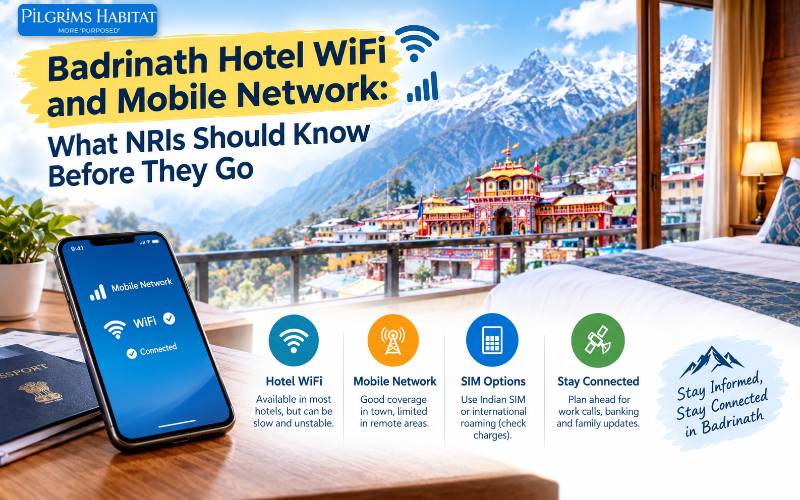 30 Sep 2026 Badrinath Travel GuideBadrinath Hotel WiFi and Mobile Network: What NRIs Should Know Before They Go
 -
 30 Sep 2026 Badrinath HotelsBadrinath Hotel With Mountain View: A Photographer's Guide to Rooms, Light and Timing
 -
 30 Sep 2026 Badrinath HotelsHow to Book Badrinath Hotel From Abroad: Cards, UPI and Payment Tips
 -
 30 Sep 2026 Badrinath HotelsBest Hotels Near Badrinath Temple Compared: Distance, Comfort and Who Each Suits
 -
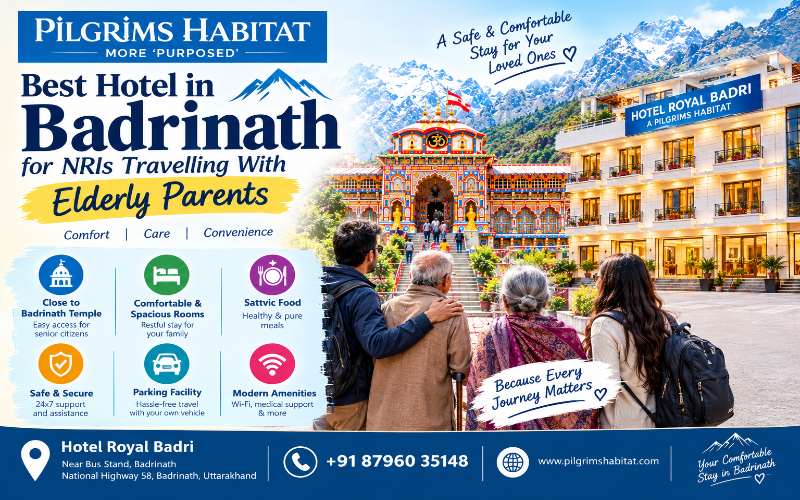 30 Sep 2026 Badrinath HotelsBest Hotel in Badrinath for NRIs Travelling With Elderly Parents
Complete Your Registration, Then Book Hotel Royal Badri
Register at registrationandtouristcare.uk.gov.in first. Then book your Badrinath stay at Hotel Royal Badri — 900 metres from the temple — so your dates are confirmed and aligned before you submit your registration.
Our Anugraha Concierge team reviews your registration checklist, coordinates BKTC darshan bookings, and ensures your hotel check-in dates match your approved travel record — so you reach the first checkpoint with everything in order.
Book Hotel Royal Badri Directly · Call / WhatsApp: 87960 35148 · Email: reservations@pilgrimshabitat.com
Delhi Office: Unit no. 6, Tribhuwan Complex, Ishwar Nagar, Friends Colony, Delhi – 110065 | Business: Manish.kumar@pilgrimshabitat.com | 87960 35148

3 Responses